
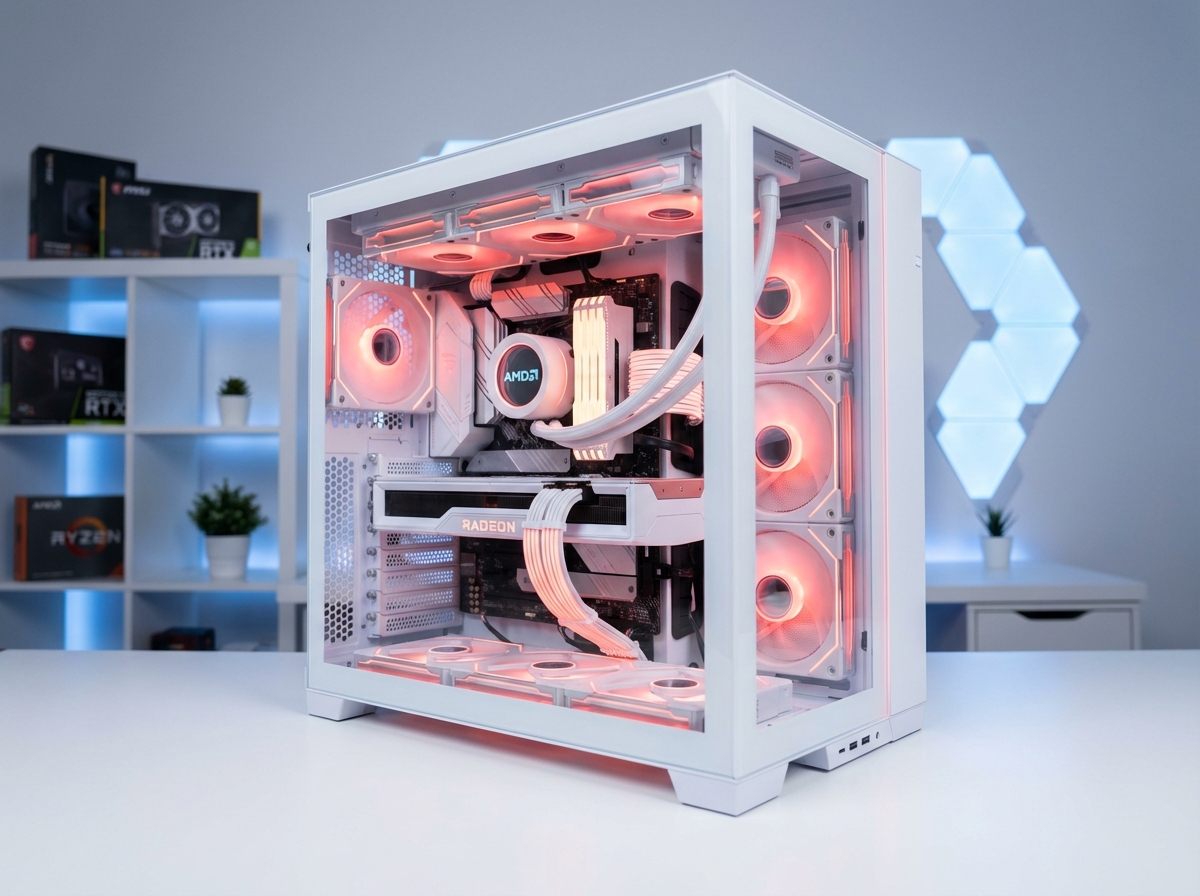

The ASUS ROG STRIX X870E-A Gaming WiFi 7 Neo occupies a specific and deliberate position in ASUS's 2025–2026 AM5 motherboard lineup. It is the aesthetic sibling of the X870E-E — sharing the same AMD X870E chipset, the same AM5 socket, the same performance-tier power delivery architecture, and the same Neo generation feature updates — but wrapped in a distinctive gray-and-white color scheme that targets builders who want premium performance without the ubiquitous all-black gaming aesthetic that characterizes the majority of X870E-class boards.
This is the ROG STRIX X870E-A Gaming WiFi 7 Neo: the same engineering substance as its black counterpart, differentiated by visual identity for a build aesthetic that stands apart. This review provides a complete technical analysis — power delivery, memory subsystem, storage configuration, connectivity portfolio, thermal design, UEFI capabilities, overclocking headroom, and competitive positioning in the 2026 AM5 high-end motherboard market.
FULL SPECIFICATIONS
| Specification | Detail |
|---|---|
| Form Factor | ATX |
| CPU Socket | AMD AM5 (LGA1718) |
| Chipset | AMD X870E |
| CPU Compatibility | AMD Ryzen 9000, 8000, 7000 Series (AM5) |
| VRM Configuration | 18+2+2 phases |
| VRM Stage Rating | 90A SPS per stage |
| CPU Power Connectors | 2× 8-pin EPS (ProCool II reinforced) |
| PCB | 8-layer, 2-oz copper power planes |
| Memory Slots | 4× DIMM (DDR5, dual-channel) |
| Max Memory | 256GB DDR5 |
| Memory Speed | DDR5-4800 to DDR5-8000+ (EXPO/AEMP) |
| Memory Technology | NitroPath DRAM Technology |
| M.2 Slots | 5× total (M.2 Q-Release Slim on all) |
| M.2 Gen 5 | 2× PCIe 5.0 x4 (CPU-direct) |
| M.2 Gen 4 | 3× PCIe 4.0 x4 |
| SATA Ports | 4× SATA 6Gb/s |
| Primary PCIe Slot | 1× PCIe 5.0 x16 (SafeSlot, Q-Release) |
| Secondary PCIe Slots | 1× PCIe 4.0 x16 (x8 mode), 2× PCIe 4.0 x16 (x4 mode) |
| USB4 (Rear I/O) | 2× USB4 40Gbps Type-C |
| USB 3.2 Gen 2x2 (Rear) | 1× USB Type-C (20Gbps) |
| WiFi | Wi-Fi 7 (802.11be), 2.4/5/6 GHz, 160 MHz channels, 4K QAM, MLO |
| Bluetooth | Bluetooth 5.4 (LE Audio) |
| LAN | Realtek 5Gb Ethernet (ASUS LANGuard) |
| Audio Codec | Realtek ALC4080 |
| Audio Amplifier | Savitech SV3H712 |
| BIOS ROM | 64MB |
| RGB | ARGB on VRM heatsink cover, Polymo lighting, Aura Sync |
| Fan Headers | 2× CPU fan, 1× AIO pump, 5× chassis fans |
| Special Features | AI Cache Boost, AI Overclocking, AI Cooling II, AIO Q-Connector, BIOS Flashback |
| MSRP | ~$499–$549 |
| Color Scheme | Gray and white |
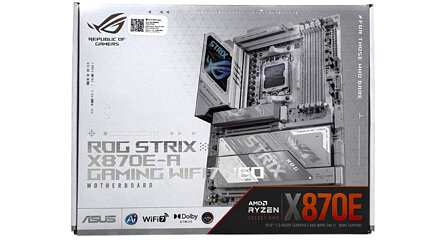
DESIGN AND AESTHETICS: THE WHITE ROG IDENTITY
A Distinct Visual Philosophy in a Black-Dominated Market
The ROG Strix X870E-A Gaming WiFi 7 Neo board features a complete gray-and-white design with ARGB LED lighting on the VRM heatsink cover. This color differentiation is the X870E-A's primary market distinction.
The overwhelming majority of high-end AM5 motherboards — including the X870E-E, X870E Aorus Master, MSI MEG X870E Ace, and Gigabyte X870E Aorus Xtreme — use black PCBs and dark heatsink finishes. The X870E-A directly targets builders constructing white or gray-themed systems: white cases such as the Lian Li O11 Dynamic EVO Snow, CORSAIR 5000D Airflow White, or Fractal Design Torrent White benefit significantly from a white motherboard that does not visually clash with the system's aesthetic direction.
The board rests on ASUS's 8-layer PCB — a specification standard for X870E-class boards that provides both signal integrity benefits and the structural rigidity needed to support the heavy VRM heatsink assemblies without PCB flex over time. The two-ounce copper power planes represent the most meaningful PCB-level specification beyond layer count. With two-ounce copper power planes, current flows with less resistance and heat spreads more evenly. VRM temperatures are easier to control during sustained loads, unlocking more headroom for performance and overclocking.
Two-ounce copper (as opposed to the more common one-ounce specification) doubles the cross-sectional area of the PCB's power delivery traces. Ohm's Law makes the consequence direct: lower resistance at equivalent current levels means lower heat generation in the traces themselves, and better distributed heat spreading across the plane. For a board running a Ryzen 9 9950X at 170W TDP — or a future high-TDP Zen 6 processor at 250W+ — the difference between one-ounce and two-ounce copper is measurable in VRM and trace temperatures under sustained all-core loads.
ARGB Lighting and Polymo Technology
The X870E-A's ARGB implementation centers on the VRM heatsink cover, where ASUS's Polymo lighting system enables more complex lighting patterns than traditional flat LED strips. Polymo uses a light guide layer with etched diffusion patterns that create three-dimensional lighting depth effects. The ARGB ROG eye logo on the VRM cover is the primary visual element, visible in the upper-left corner of the board when installed in a mid-tower or full-tower case. Additional ARGB headers (3× ARGB 5V and 2× standard 12V RGB) allow connection of compatible fans, strips, and accessories, all controllable through ASUS Armory Crate or the UEFI BIOS lighting section.
POWER DELIVERY SYSTEM: 18+2+2 PHASES WITH 90A SPS STAGES
VRM Architecture and Stage Count Analysis
The ROG STRIX X870E-A Gaming WiFi 7 Neo features 18+2+2 power stages with 90-amp SPS. The notation 18+2+2 signifies:
- 18 phases: CPU VCore rail — powering the processor's compute cores
- 2 phases: GT (Graphics/SoC) power — the processor's integrated graphics and SOC subsystems
- 2 phases: AUX — auxiliary power rails for miscellaneous platform functions
Each VCore stage carries a 90A SPS (Smart Power Stage) rating. Unlike earlier PWM designs where the controller creates a fixed number of phases and each phase handles a fixed portion of total current, ASUS's Extreme Engine Digi+ technology implements true multi-phase control where each stage independently monitors current, temperature, and switching events, reporting back to the control IC for adaptive management.
MAXIMUM THEORETICAL VCORE CURRENT DELIVERY
18 phases × 90A per stage = 1,620A peak theoretical capacity. In practice, de-rating to 60–70% for thermal and efficiency reasons still yields 970–1,130A of continuous capability — enormous relative to any current or near-future Ryzen processor's requirements.
The Ryzen 9 9950X draws approximately 170W under full multi-threaded load at stock settings, which at a 1.15V VCore translates to roughly 148A of CPU current. The X870E-A's 18-phase 90A design has more than 6× the phase count required for this scenario at comfortable per-stage loading — each stage handles less than 10A in this configuration, operating at roughly 11% of its rated capacity.
The meaningful implications of this headroom:
- VRM temperatures remain low under all practical CPU loads — stages at 10% of rated current generate negligible heat relative to what the heatsink is designed to manage
- Extreme overclocking headroom — pushing a Ryzen 9 9950X or future high-TDP processor well beyond stock settings while maintaining stable power delivery
- Future CPU compatibility — anticipated high-TDP Zen 6 desktop processors at 250W+ remain well within the X870E-A's continuous power capability
VRM Heatsink and Thermal Design
High-quality thermal pads are utilized between power stages and heatsinks, helping to improve heat transfer and reduce VRM operating temperatures. The VRM heatsink design on the X870E-A Neo consists of two large aluminum heatsink blocks — one covering the upper VRM array (above and to the left of the socket) and one covering the secondary VRM section — connected by a copper heatpipe that equalizes thermal load between them.
The thermal path begins at the SPS module's exposed metal tab, through a phase-change thermal pad to the heatsink's contact surface. Phase-change thermal pads (unlike the silicone-based pads used on budget boards) liquidify slightly at operating temperature, filling microscopic surface irregularities and achieving contact quality approaching direct lapping.
The AMD specification for safe VRM operation extends well past 100°C, and the practical thermal-throttle threshold on most X870E VRMs sits around 90°C. The X870E-A Neo's equivalent VRM architecture with 90A stages under the same heatsink design produces similar or lower temperatures under equivalent loads, given that 90A stages at the same current consumption operate at a lower percentage of rated capacity than 110A stages would.
VRM Power Delivery Comparison (2026 AM5 Tier)
| Motherboard | VRM Config | Stage Rating | Theoretical Max | Price Range |
|---|---|---|---|---|
| ASUS X870E-A Gaming WiFi 7 Neo | 18+2+2 | 90A | ~1,620A VCore | ~$499–549 |
| ASUS X870E-E Gaming WiFi 7 Neo | 18+2+2 | 110A | ~1,980A VCore | ~$549–599 |
| ASUS ROG Crosshair X870E Dark Hero | 20+2+2 | 110A | ~2,200A VCore | ~$699+ |
| Gigabyte X870E Aorus Master | 18+2+2 | 105A | ~1,890A VCore | ~$499–549 |
| MSI MEG X870E Ace | 20+2+2 | 90A | ~1,800A VCore | ~$499–549 |
| Gigabyte X870E Aorus Xtreme | 24+2 | 110A | ~2,640A VCore | ~$699+ |
The X870E-A's 90A-per-stage rating positions it slightly below the X870E-E Neo's 110A stages in absolute per-stage current handling, but the 18-phase count means that practical operating margins are nearly identical for any workload a real-world Ryzen processor can generate.
COMPLETE X870E-A PLATFORM ARCHITECTURE
flowchart TB
    EPS["2x 8-pin EPS ProCool II Power Input"]
    VRM["VRM: 18+2+2 Phase Power Delivery
Extreme Engine Digi+ PWM
1,620A Peak VCore Capacity
2-oz Copper Power Planes"]
    CPU["AMD AM5 CPU
Ryzen 7000 / 8000 / 9000
Zen 4 / Zen 5 cores"]
    DIMM["4x DDR5 DIMM Slots
256GB Max - NitroPath DRAM
EXPO/AEMP DDR5-4800 to 8000+"]
    M2_GEN5["M.2 Slots 1 and 2
PCIe 5.0 x4 CPU-Direct
16 GB/s each"]
    GPU["Primary PCIe 5.0 x16
SafeSlot + Q-Release"]
    USB4["USB4 Controller
via PCIe 4.0 x4"]
    CHIP["AMD X870E Chipset
Dual PROMO21"]
    M2_GEN4["M.2 Slots 3, 4, 5
PCIe 4.0 x4 Chipset
8 GB/s each"]
    SATA["4x SATA 6Gb/s
RAID 0/1/5/10"]
    SEC_PCIE["Secondary PCIe Slots
PCIe 4.0 x8 + 2x x4"]
    LAN["Realtek 5Gb Ethernet
ASUS LANGuard"]
    WIFI["Wi-Fi 7 / Bluetooth 5.4
160 MHz - MLO - 4K QAM"]
    AUDIO["Realtek ALC4080
Savitech SV3H712 Amp"]
    REARUSB["2x USB4 40Gbps Type-C
1x USB 3.2 Gen 2x2 20Gbps
Multiple USB 3.2 Gen 2"]

    EPS --> VRM
    VRM -->|Regulated VCore + SOC| CPU
    CPU -->|DDR5 Dual-Channel| DIMM
    CPU -->|PCIe 5.0 x4 each| M2_GEN5
    CPU -->|PCIe 5.0 x16| GPU
    CPU -->|PCIe 4.0 x4| USB4
    CPU -->|PCIe 4.0 x4 link| CHIP
    CHIP --> M2_GEN4
    CHIP --> SATA
    CHIP --> SEC_PCIE
    CHIP --> LAN
    CHIP --> WIFI
    CHIP --> AUDIO
    CHIP --> REARUSB
AMD X870E CHIPSET: WHAT IT PROVIDES OVER X870 AND B850
X870E vs. X870 vs. B850: Platform Tier Differences
The X870E is AMD's top-tier AM5 chipset, positioned above X870 and B850 in the 2024–2026 platform hierarchy. Understanding where X870E's advantages materialize — and where they are effectively theoretical — is essential for evaluating whether the premium over X870 or B850 is warranted for a given use case.
Key X870E Advantages Over X870
- Mandatory PCIe 5.0 support for both M.2 and GPU: X870E requires certified PCIe 5.0 on the primary M.2 and the primary PCIe x16 slot. X870 requires PCIe 5.0 only on the GPU slot; M.2 Gen 5 is optional.
- Additional USB bandwidth: The dual PROMO21 chipset configuration in X870E provides more USB allocation bandwidth, enabling the dense high-speed USB port configurations seen on X870E boards.
- PCIe lane total: X870E provides 24 PCIe 5.0 lanes from CPU plus additional PCIe 4.0 and PCIe 3.0 lanes from the chipset, enabling full simultaneous bandwidth for a PCIe 5.0 GPU and two PCIe 5.0 M.2 drives without contention.
Key X870E vs. B850 Differences
- B850 does not provide CPU-direct PCIe 5.0 M.2 lanes on the platform specification — M.2 Gen 5 is optional and chipset-routed where present
- B850 provides fewer total PCIe lanes and less USB allocation bandwidth
- B850 does not support AMD EXPO memory overclocking profiles natively (requires AEMP II support instead)
For a build centered on a Ryzen 9 9950X or 9800X3D with a current-generation GPU (RTX 5080/5090 or RX 9070 XT) and one or two PCIe 5.0 NVMe drives, X870E is the appropriate chipset to ensure zero bandwidth sharing between the primary expansion devices.
NITROPATH DRAM TECHNOLOGY: DDR5 MEMORY OPTIMIZATION
What NitroPath Does and Why It Matters at DDR5-7200+
NitroPath technology improves signal integrity by re-engineering DIMM slot pins and optimizing PCB trace layout for better stability at higher frequencies. At DDR5-6000 and below — the operational sweet spot for Ryzen 9000 series with a 1:1 UCLK:MCLK ratio — virtually any X870E board's memory subsystem provides adequate signal integrity. The meaningful differentiation begins at DDR5-7200 and above, where signal integrity challenges become acute:
- Crosstalk: High-frequency signal transitions on adjacent data lines induce voltage noise through capacitive coupling. At higher frequencies, both the frequency of transitions and their slew rates increase, amplifying crosstalk.
- Impedance discontinuities: DIMM slot contacts represent a mechanical discontinuity in the signal path — a brief change in trace impedance that causes signal reflections at high data rates
- Trace length matching: Even slight mismatches in PCB trace lengths between memory controller pins and DIMM slot connections translate to setup and hold timing violations at DDR5-7200+
- Via stubs: The plated-through holes connecting PCB layers create "stubs" that resonate at high frequencies, creating signal integrity problems above certain thresholds
NitroPath DRAM Technology addresses these challenges through:
- Redesigned DIMM slot contact geometry: Optimized pin metallurgy and contact angle reduce the impedance discontinuity at the DIMM-to-PCB interface
- Re-routed PCB traces: Memory data and control traces are rerouted for more precise length matching and reduced parallel run segments (which create crosstalk)
- Optimized coupling capacitors: Decoupling capacitor placement and value selection is optimized for the high-frequency characteristics of DDR5-7200 and above
- External clock generator: A dedicated external clock generator (ECLK) replaces the AM5 CPU's integrated clock source for memory operation, providing lower jitter and more precise frequency stepping for memory overclocking
ASUS rates the board at DDR5-8600+ MT/s manual OC, with EXPO/AEMP profile support up to 8200+ MT/s. Most builders will be running this at the AM5 sweet spot of DDR5-6000 CL30 with a 1:1 UCLK:MCLK ratio, but the headroom is there for those who want to chase it.
The 60mm DRAM cooling fan included in the accessories package addresses a practical challenge at extreme DDR5 speeds: DDR5 modules running at DDR5-7200+ with tight sub-timings generate substantially more heat than modules at DDR5-6000, and elevated module temperatures increase signal noise through expanded silicon junction characteristics. The fan mount provides active airflow across the DIMM slots for sustained overclocking sessions.
STORAGE ARCHITECTURE: FIVE M.2 SLOTS WITH PCIe 5.0 PRIORITY DESIGN
PCIe 5.0 M.2 Bandwidth: Up to 16GB/s Per Slot
The X870E-A Gaming WiFi 7 Neo provides five M.2 slots, organized by bandwidth tier:
PCIe 5.0 x4 (CPU-direct) — Slots 1 and 2
These two slots connect directly to the CPU's PCIe 5.0 lanes, bypassing the chipset entirely. The direct CPU connection provides two advantages: lower latency (no chipset intermediary in the data path) and non-shared bandwidth (the CPU's PCIe 5.0 x4 allocation for each slot is not shared with other devices).
At PCIe 5.0 x4 speeds, each slot can achieve up to 16 GB/s of sustained sequential read bandwidth — sufficient for PCIe 5.0 NVMe drives such as the Corsair MP700 Pro, WD Black SN850X (PCIe 5.0 revision), or Samsung PM9D3 that exceed 14 GB/s sustained read performance.
PCIe 4.0 x4 (Chipset-routed) — Slots 3, 4, and 5
The three remaining M.2 slots connect through the X870E chipset's PCIe 4.0 allocation. At PCIe 4.0 x4, maximum sequential bandwidth is 8 GB/s — still faster than most applications' I/O requirements and faster than any currently available PCIe 4.0 NVMe drive's rated sustained sequential performance.
All five M.2 slots feature ASUS's M.2 Q-Release Slim mechanism, which eliminates the small retention screw that conventional M.2 slots require for drive installation. Instead, a tool-free sliding latch secures the drive. For builders who frequently swap M.2 drives during system configuration or testing, the elimination of screwdrivers from the M.2 installation workflow is a genuine quality-of-life improvement.
M.2 Heatsink Configuration
The primary PCIe 5.0 slots receive individual dedicated heatsinks with thermal pads pre-applied. PCIe 5.0 NVMe drives — operating their Arm Cortex-based controller ASICs at high sustained data rates — generate substantially more heat than PCIe 4.0 drives; controllers reaching 70–85°C under sustained write loads are common without adequate thermal management. The X870E-A's dedicated heatsinks for the two primary Gen 5 slots prevent thermal throttling that would degrade the drives' maximum sequential performance under sustained workloads.
SATA and RAID Configuration
| RAID Level | Supported | Notes |
|---|---|---|
| RAID 0 | Yes | Striping; performance improvement; zero redundancy |
| RAID 1 | Yes | Mirroring; redundancy; capacity penalty |
| RAID 5 | Yes (Ryzen 9000 only) | Distributed parity; requires Ryzen 9000 Series CPU |
| RAID 10 | Yes | Striping + mirroring; requires 4 drives minimum |
The RAID 5 limitation — requiring a Ryzen 9000 Series CPU rather than functioning on Ryzen 7000 or 8000 — reflects a platform firmware change AMD made with the 9000-series launch that enabled RAID 5 write performance improvements through updated storage controller microcode.
CONNECTIVITY: USB PORTFOLIO ANALYSIS
Rear I/O USB Configuration
The X870E-A Gaming WiFi 7 Neo's rear I/O represents one of the densest high-speed USB configurations available on a standard ATX motherboard. The USB4 implementation deserves specific analysis because USB4 at 40Gbps represents a fundamentally different capability tier from even USB 3.2 Gen 2×2 at 20Gbps.
Rear I/O USB breakdown:
- 2× USB4 40Gbps Type-C — bandwidth sufficient for external PCIe 4.0 SSDs in Thunderbolt 4/USB4 enclosures, eGPU applications, and daisy-chaining displays
- 1× USB 3.2 Gen 2×2 Type-C — 20Gbps for external NVME enclosures and high-speed hubs
- Multiple USB 3.2 Gen 2 Type-A — 10Gbps for keyboards, mice, audio interfaces, capture cards
- USB 2.0 Type-A — for legacy peripherals, DACs, and low-bandwidth devices
USB4 Practical Applications
A single USB4 port provides 40Gbps of bidirectional bandwidth. Practical use cases in 2026 include:
- External PCIe SSD enclosures (e.g., OWC Envoy Express): achieving 3,500+ MB/s read speeds from an NVMe drive in a bus-powered enclosure
- eGPU via Thunderbolt 4/USB4 docking station
- High-resolution display output (up to 8K via DisplayPort Alt Mode over USB4)
- High-speed docking stations for laptops/secondary systems sharing peripherals with the desktop
Internal Headers and Front Panel Connectivity
- 2× USB 20Gbps Type-C front panel headers (USB 3.2 Gen 2×2)
- 3× USB 2.0 headers (6 total USB 2.0 ports for cases with front-panel USB 2.0)
The dual 20Gbps front panel Type-C headers are particularly notable — most X870E boards provide a single USB 3.2 Gen 2 (10Gbps) front panel Type-C header. Two 20Gbps-capable front panel ports enable cases with high-speed Type-C ports (such as the Lian Li O11D EVO or Fractal Design Torrent) to deliver genuine 20Gbps transfer speeds to both front-panel ports simultaneously, which matters for users who regularly transfer large files via USB-C from cameras, audio recorders, or NVMe drives.
WIFI 7 IMPLEMENTATION: 802.11BE WITH MLO AND 4K QAM
Understanding WiFi 7's Technical Advantages
WiFi 7 delivers up to 4.8× faster performance than WiFi 6 with advanced technologies such as 160 MHz channels on the 6 GHz band and 4K QAM. WiFi 7 also supports Multi-Link Operation (MLO) for connection stability, low latency, and smooth experiences with gaming, streaming, and high-performance wireless workloads.
Note the distinction between the X870E-A (which uses 160 MHz channels) and the higher-tier X870E-E NEO (which uses 320 MHz channels). The X870E-A's WiFi 7 implementation is still a WiFi 7 certified module with MLO, 4K QAM, and 6 GHz band support, but the 320 MHz channel width — available only on the more expensive E-variant — provides roughly 2× the theoretical peak throughput when connecting to a WiFi 7 router that also supports 320 MHz.
| Feature | Specification | Benefit |
|---|---|---|
| Standard | IEEE 802.11be (WiFi 7) | Latest generation, maximum compatibility |
| Frequency Bands | 2.4 GHz, 5 GHz, 6 GHz | Tri-band, 6 GHz uncongested |
| Max Channel Width | 160 MHz (6 GHz band) | Up to 5.76 Gbps link rate |
| Modulation | 4096-QAM (4K QAM) | +20% throughput vs. 1024-QAM (WiFi 6) |
| Multi-Link Operation | Yes | Simultaneous multi-band connections |
| Bluetooth | 5.4 with LE Audio | LC3 codec, Auracast broadcast |
| MIMO | 2×2 | Dual-stream spatial multiplexing |
Multi-Link Operation (MLO) is WiFi 7's most practically significant networking feature. MLO allows a single WiFi 7 client device — the X870E-A's embedded WiFi module — to maintain simultaneous connections to a WiFi 7 access point across multiple frequency bands. For gaming, the benefit is that if the 6 GHz band experiences momentary congestion or interference, the connection automatically transitions traffic to the 5 GHz band without dropping the session. For large file transfers, MLO can aggregate bandwidth across both bands to achieve higher sustained throughput than either band could provide alone.
ASUS WiFi Q-Antenna simplifies antenna installation through a snap-in single-connector design that eliminates the twin-connector antenna attachment process used on most competing boards.
AUDIO SUBSYSTEM: REALTEK ALC4080 WITH SAVITECH AMPLIFIER
On-board audio is powered by the Realtek ALC4080 audio codec, paired with an integrated Savitech SV3H712 amplifier, and includes support for Dolby Atmos. The Realtek ALC4080 codec represents the current generation of integrated audio codec silicon, with specifications substantially beyond what the preceding ALC1220 could provide:
- Up to 384 kHz / 32-bit playback resolution
- Up to 192 kHz / 24-bit recording resolution
- Signal-to-noise ratio: >120 dB (playback), >112 dB (recording)
- Total Harmonic Distortion + Noise: -100 dB
The Savitech SV3H712 headphone amplifier addresses the ALC4080's limitation in driving low-impedance planar magnetic or demanding dynamic headphones. The amplifier can drive headphones from 16Ω to 300Ω impedance ranges at appropriate output levels without adding appreciable noise — a practical consideration for builders using studio or audiophile headphones (Sennheiser HD 650, Beyerdynamic DT 990 Pro, Audeze LCD-2) with the onboard audio system.
UEFI BIOS: 64MB ROM AND AI-ASSISTED FEATURES
The 64MB BIOS ROM Advantage
The board includes a 64MB BIOS ROM. That means the board won't have issues supporting future processor generations. One may recall that many 300 and 400-series AM4 boards had issues supporting Zen 3 processors due to small ROMs, while others had to omit Excavator support. With the current AI boom, there's every chance AM5 will remain supported for many years to come, much as AM4 still is nearly 10 years after its launch.
The 32MB to 64MB BIOS ROM upgrade in the Neo refresh is directly motivated by AM5 platform longevity planning. BIOS images for X870E grow with each new CPU family supported — each new Ryzen generation adds processor microcode tables, new AGESA versions with bug fixes and feature additions, and additional firmware modules for platform features. The 64MB chip provides headroom for the remaining anticipated AM5 CPU generations — Zen 6 (2027) and Zen 7 (2028+) at minimum — without requiring compromises on supported features.
Three-Mode UEFI Navigation
EZ Mode (Simplified): The entry-level BIOS view for casual users displays a visual summary of installed CPU, memory, and storage, provides drag-and-drop fan curve configuration, shows current CPU and memory frequencies, and enables EXPO profile selection with a single click.
Essential Mode (New in Neo): Provides access to the most commonly adjusted parameters — CPU power limits, fan curves, memory profiles, boot order, and basic overclocking settings — without exposing the full Advanced section's overwhelming parameter density. For builders who want to fine-tune performance without a deep background in motherboard firmware, Essential Mode provides a curated intermediate layer.
Advanced Mode: The full parameter set: CPU voltage/frequency tables, PBO (Precision Boost Overdrive) fine control, memory sub-timings down to tCWL and tRC granularity, PCIe link speed configuration, USB power delivery settings, individual sensor thresholds, and every platform feature flag.
AI-Assisted BIOS Features
- AI Overclocking: Analyzes the installed CPU's binning quality through silicon characterization tests and generates an optimized PBO profile tailored to the specific chip's performance characteristics
- AI Cache Boost: Exclusive to ASUS AMD 800 and 600 series motherboards that use Ryzen 9000 Series CPUs, this BIOS setting optimizes CPU cache and memory pathways to deliver performance improvements in AI workloads
- AI Cooling II: Monitors CPU and system temperatures, load patterns, and fan acoustic levels, then dynamically adjusts fan curves to optimize the noise-performance balance for the current workload profile
- AI Networking II: Dynamically prioritizes network traffic by application type, applying lower-latency QoS settings to gaming traffic
BIOS Flashback and Clear CMOS
BIOS Flashback enables complete BIOS reflashing from a USB drive without a CPU, memory, or GPU installed. For builders updating BIOS before installing a new-generation CPU that the current BIOS version does not support, this eliminates the requirement to borrow a supported CPU solely for BIOS update purposes.
Clear CMOS instantly resets all BIOS settings to factory defaults without requiring the board to boot. For recovery from failed overclocking attempts that render the system unbootable, the rear I/O Clear CMOS button eliminates the need to locate the jumper pins on the PCB surface.
PCIe LANE ARCHITECTURE
PCIe Lane Topology and Bandwidth Allocation
The X870E-A's PCIe lane topology maximizes the primary gaming use case — GPU + NVMe SSD — without compromising secondary device bandwidth.
CPU-Direct PCIe 5.0 lanes (fully non-shared):
- Primary GPU slot: PCIe 5.0 x16 (128 GB/s bidirectional)
- M.2 Slot 1: PCIe 5.0 x4 (16 GB/s)
- M.2 Slot 2: PCIe 5.0 x4 (16 GB/s)
- Total CPU PCIe 5.0 bandwidth: 160 GB/s allocated to GPU + 2× storage
The critical practical outcome: installing a GPU in the primary slot plus two PCIe 5.0 M.2 drives in slots 1 and 2 consumes all of the CPU's PCIe 5.0 bandwidth without any sharing. Adding three additional M.2 drives in slots 3–5 and a capture card or network card in a secondary PCIe slot all uses chipset bandwidth, maintaining full GPU bandwidth at PCIe 5.0 x16.
SafeSlot and PCIe Slot Q-Release
The primary PCIe 5.0 x16 GPU slot features ASUS's SafeSlot reinforcement, which uses a metal anchor extending the slot's structural connection to the PCB. Modern high-end GPUs — especially triple-slot, triple-fan designs weighing 1.5–2.5 kg — apply substantial cantilever force on the PCIe slot when installed without a dedicated GPU support bracket.
PCIe Slot Q-Release provides tool-free GPU extraction via a mechanical lever that releases the PCIe retention latch with downward finger pressure, eliminating the contortion required to press the standard push-button latch on a populated PCB where the GPU heatsink blocks direct access.
OVERCLOCKING: PBO, EXPO, AND MANUAL TUNING
Precision Boost Overdrive (PBO) Configuration
AMD's Precision Boost Overdrive is the recommended overclocking approach for Ryzen 9000 Series processors because it works within AMD's silicon characterization data rather than applying a blanket voltage increase that may exceed what a specific CPU sample can sustain reliably. PBO on the X870E-A configures through three primary parameters:
- PPT (Package Power Tracking): The maximum total socket power consumption. Stock Ryzen 9000 Series values are 88W for 65W TDP variants and 230W for 170W TDP variants.
- TDC (Thermal Design Current): The maximum current draw for sustained operation. Limits sustained multi-threaded performance under thermal pressure.
- EDC (Electrical Design Current): The maximum instantaneous current draw for boost clock peaks. Limits single-core turbo frequency ceilings.
Setting all three values to unlimited (or their maximum supported values) in the UEFI removes AMD's default conservative power limits, allowing Ryzen 9000 Series CPUs to boost to their theoretical maximum frequencies limited only by temperature and silicon quality rather than software power caps.
ASUS Multipoint Curve Optimizer: The UEFI implements AMD's Curve Optimizer at per-core granularity. Individual cores on a Ryzen 9900X or 9950X vary in their voltage requirements for the same frequency — the "golden cores" (best silicon quality, lowest frequency-for-voltage) can be tuned with more aggressive negative voltage offsets, while weaker cores receive less aggressive or zero offset. Optimizing the Curve Optimizer per-core can yield 3–8% performance improvements over stock PBO configurations.
Extreme Memory Overclocking: DDR5-8000+ Territory
Achieving DDR5-7200 and above on the X870E-A requires specific memory kit selection. Samsung B-die (found in higher-end SK Hynix A-die kits at DDR5-8000+, and Hynix M-die kits at DDR5-7200 territory) provides better overclocking headroom than the Micron A-die found in many budget DDR5 kits.
Target sub-timings at DDR5-7200 CL34:
- tCL: 34
- tRCD: 34
- tRP: 34
- tRAS: 68
- tRC: 102
- tRFC: depends on module density (820–900 for 16Gb)
The external clock generator included in NitroPath allows finer frequency stepping — 100 MHz increments rather than the standard 200 MHz steps — enabling the systematic discovery of stability limits across the DDR5-7000 to DDR5-8200 range without large jumps between test frequencies.
COMPETITIVE ANALYSIS: X870E-A NEO vs. THE FIELD
The X870E-A occupies the upper-mid segment of the X870E market — above mainstream X870E boards at $300–400 but below the ROG Crosshair tier at $699+.
| Board | VRM | M.2 | USB4 | WiFi | LAN | MSRP |
|---|---|---|---|---|---|---|
| ASUS X870E-A WiFi 7 Neo | 18+2+2 / 90A | 5 | 2× 40Gbps | WiFi 7 160MHz | 5Gb | ~$499–549 |
| ASUS X870E-E WiFi 7 Neo | 18+2+2 / 110A | 5 | 2× 40Gbps | WiFi 7 320MHz | 5Gb | ~$549–599 |
| Gigabyte X870E Aorus Master | 18+2+2 / 105A | 5 | 2× 40Gbps | WiFi 7 | 2.5Gb | ~$499–549 |
| MSI MEG X870E Ace | 20+2+2 / 90A | 5 | 2× 40Gbps | WiFi 7 | 5Gb | ~$499–549 |
| ASUS Crosshair X870E Dark Hero | 20+2+2 / 110A | 5 | 2× 40Gbps | WiFi 7 | 10Gb | ~$699+ |
| ASRock X870E Taichi | 26+2+1 / 80A | 5 | 2× 40Gbps | WiFi 7 | 5Gb | ~$449–499 |
The X870E-A's Specific Advantages
- Aesthetic differentiation: The only white/gray X870E ATX motherboard in the high-end tier from a major AIB — the default recommendation for white-build enthusiasts
- NitroPath DRAM Technology: More sophisticated DDR5 signal integrity engineering than most X870E boards at this price point
- Q-Design ecosystem: M.2 Q-Release Slim, PCIe SafeSlot Q-Release, AIO Q-Connector, and WiFi Q-Antenna collectively reduce build complexity and maintenance time
- AI Cache Boost: Practical AI workload acceleration feature exclusive to ASUS AMD boards
- Essential BIOS Mode: Meaningful intermediate BIOS navigation for non-power users
Where the X870E-A Concedes Ground
- WiFi channel width: 160 MHz vs. 320 MHz on X870E-E Neo — tangible throughput reduction for wireless power users
- VRM stage rating: 90A vs. 110A stages on X870E-E Neo — negligible in practice for all real Ryzen workloads, but a specification difference that matters for marketing comparisons
- Ethernet speed: 5Gb vs. the 10Gb Ethernet available on Crosshair-tier boards — relevant only for users with 10Gb network infrastructure
WHO SHOULD BUY THE X870E-A WIFI 7 NEO?
THE WHITE BUILD ENTHUSIAST
This is the primary audience. Builders constructing systems in white cases — Lian Li O11D EVO White, Fractal Design North White, NZXT H9 Flow White, Corsair 5000D Airflow White — will pair the X870E-A with white GPU coolers, white RAM heatspreaders, and white case fans for a fully cohesive white system theme where the motherboard does not introduce conflicting black PCB elements.
THE HIGH-PERFORMANCE AM5 BUILDER AT THE $500 TIER
For builders who want a fully-featured X870E board with flagship-caliber power delivery, PCIe 5.0 on both GPU and multiple M.2 slots, USB4, WiFi 7, and comprehensive overclocking support at the $499–549 price point, the X870E-A delivers all of these capabilities in the Neo refresh generation.
THE RYZEN 9 9950X / 9800X3D / ZEN 6 PLATFORM
The power delivery unit is on par with the one on the X870E-E model, easily ensuring stable voltage even for the strongest Ryzen 9 9950X3D processor. Builders pairing the X870E-A with AMD's current flagship Ryzen 9 9950X or 9800X3D have a board that operates well within its thermal and electrical margins. Future Zen 6 owners will find the 18-phase 90A VRM more than sufficient for that generation as well.
When to Consider Alternative Options
Choose the X870E-E Neo instead if wireless throughput matters and you have a WiFi 7 router with 320 MHz channel support, you want the maximum VRM headroom figures, or budget allows the additional $50–100 premium.
Choose the ROG Crosshair X870E Dark Hero instead if 10Gb Ethernet is required for a 10GbE home network, you want the absolute highest tier ASUS AM5 platform, or extreme overclocking sessions are your priority.
Choose a B850 board instead if GPU and NVMe storage are the only PCIe 5.0 devices in the build and the X870E premium is not justified by secondary PCIe or USB bandwidth requirements.
VERDICT: A LEGITIMATE WHITE FLAGSHIP
The ASUS ROG STRIX X870E-A Gaming WiFi 7 Neo is a mature, fully-featured X870E platform that distinguishes itself primarily through its white-and-gray aesthetic in a market where that color scheme is almost entirely absent at the high-performance tier.
Its engineering substance — 18+2+2 phase VRM with 90A stages on two-ounce copper power planes, NitroPath DDR5 memory optimization, dual PCIe 5.0 M.2 slots with CPU-direct bandwidth, USB4, WiFi 7, the 64MB BIOS ROM, and the complete Neo refresh feature set — positions it as a legitimate high-end AM5 platform capable of carrying the Ryzen 9000 Series family through its entire lifecycle and supporting Zen 6 when it arrives on AM5 in 2027.
The tradeoffs relative to the sibling X870E-E Neo are real but narrow: 90A rather than 110A VRM stages, 160 MHz rather than 320 MHz WiFi channels. For a builder who values aesthetics as part of their system vision — which is an entirely legitimate and common priority in the enthusiast PC market — the X870E-A is not a compromise; it is the specification match for the build goal.
BUILD ON THE X870E-A FOUNDATION
Want this board as the foundation of a hand-built, precision-assembled custom gaming or workstation PC? Lone Star True Custom Rigs builds with premium AM5 platforms hand-picked for your aesthetic and performance goals — including white-themed Ice Builds. Texas-sized performance in every build.
BUILD YOUR OWN SEE ICE BUILDS